Trucking is in
Our Blood
We have been Trucking since 1946
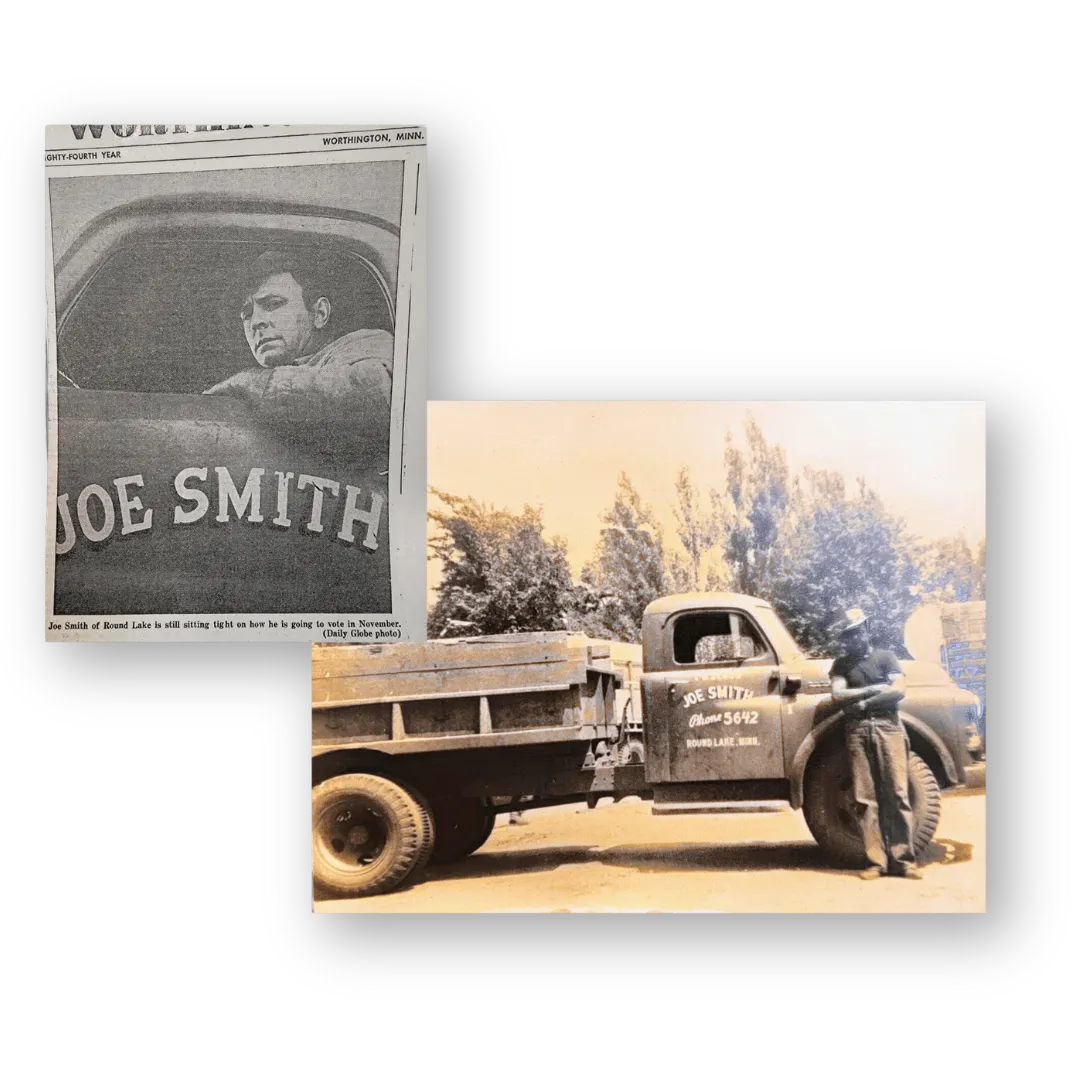
1946
Joe Smith started Joe Smith Trucking in 1946 hauling grain and livestock, and doing corn shelling for local farmers.
Later, sons, Keith and Phil came on board and the name was changed to "Joe Smith and Sons". Dump trucks were purchased and they began hauling black top and gravel in the summer and soft water on the side.
1970s

1970s
In the early 70's, Joe's sons Keith and Phil, became partners with him and they purchased their first over-the-road semi-tractor.
They added a couple of trucks over the next several years while hauling packaged candy for Sathers Candy out of Round Lake, MN.
In 1977 Joe passed away, just a year before the newly named "Smith Trucking" obtained its own authority and began hauling boxed meat and general commodities across 48 states.
1980s

Rocking the 80's
The 1980s marked a period of major growth and modernization for Smith Trucking. Keith and Phil continued to expand the business, adding more over-the-road tractors and refrigerated trailers to meet customer demand across the Midwest.
With a focus on reliability and service, the company began building long-term partnerships with regional shippers and manufacturers. New equipment, dedicated drivers, and steady leadership helped Smith Trucking establish its reputation as a trusted name in temperature-controlled transportation.
It was a decade of hard work, family commitment, and pride on the road - values that still define Smith Trucking today.
1990s - 2000s
The 1990s and 2000s brought continued growth and modernization to Smith Trucking. As demand for refrigerated and long-haul services increased, the company invested in new technology, upgraded equipment, and expanded operations to better serve customers nationwide.
Under Phil Smith’s leadership, Smith Trucking earned a strong reputation for dependable, on-time service and a commitment to doing things the right way. The company’s focus on quality, family values, and taking care of drivers became the foundation for long-term success.
By the 2000s, Smith Trucking had evolved into a modern, full-service carrier while keeping the same small-town roots and personal touch that began back in 1946.
Through dedication, teamwork, and family leadership, the Smith name became known far beyond Worthington — representing integrity, reliability, and pride on the road.

Today
Smith Trucking continues to operate with the same family values that began in 1946 — integrity, reliability, and respect for the people behind the wheel.
Phil Smith’s leadership and dedication helped shape the company we are today. His commitment to hard work and taking care of both customers and drivers remains at the center of everything we do.
Now led by the next generation, Smith Trucking runs a modern fleet of Kenworth and Freightliner tractors with refrigerated trailers serving customers across the continental U.S. Nearly 80 years and three generations later, our mission is still the same — delivering safely, on time, and with pride.